Preface:
If you regularly use man you’ll read this post and thing I’m an idiot, but I suspect I’m not the only one with a shallow understanding of what they use.
I’ve used Linux for what is considered a short period of time, though for me, it’s 28% of my life.
More like 50% if we’re counting the time I was actually conscious.
I’m sure at some point you’ve ran tree, possibly many many times, but how many times have you used more than just tree?
I’ve never explored past the basic tree until today, when I was trying to add my project structure to my README.md when I finally ran tree --help
My project, ‘AniSim’ a comparison site for users to compare their anime watch-history to others, has a beautiful node_modules, so throwing in a tree resulted in:
tree | wc -l1631 lines…
The resulting tree --help was, a beautiful block of text that I’d consider, mildy overwhelming.
Not sure if I really need to use tree -acdfhjilnpqrstuvxACDFJQNSUX, I think something has probably gone wrong if I ever do.
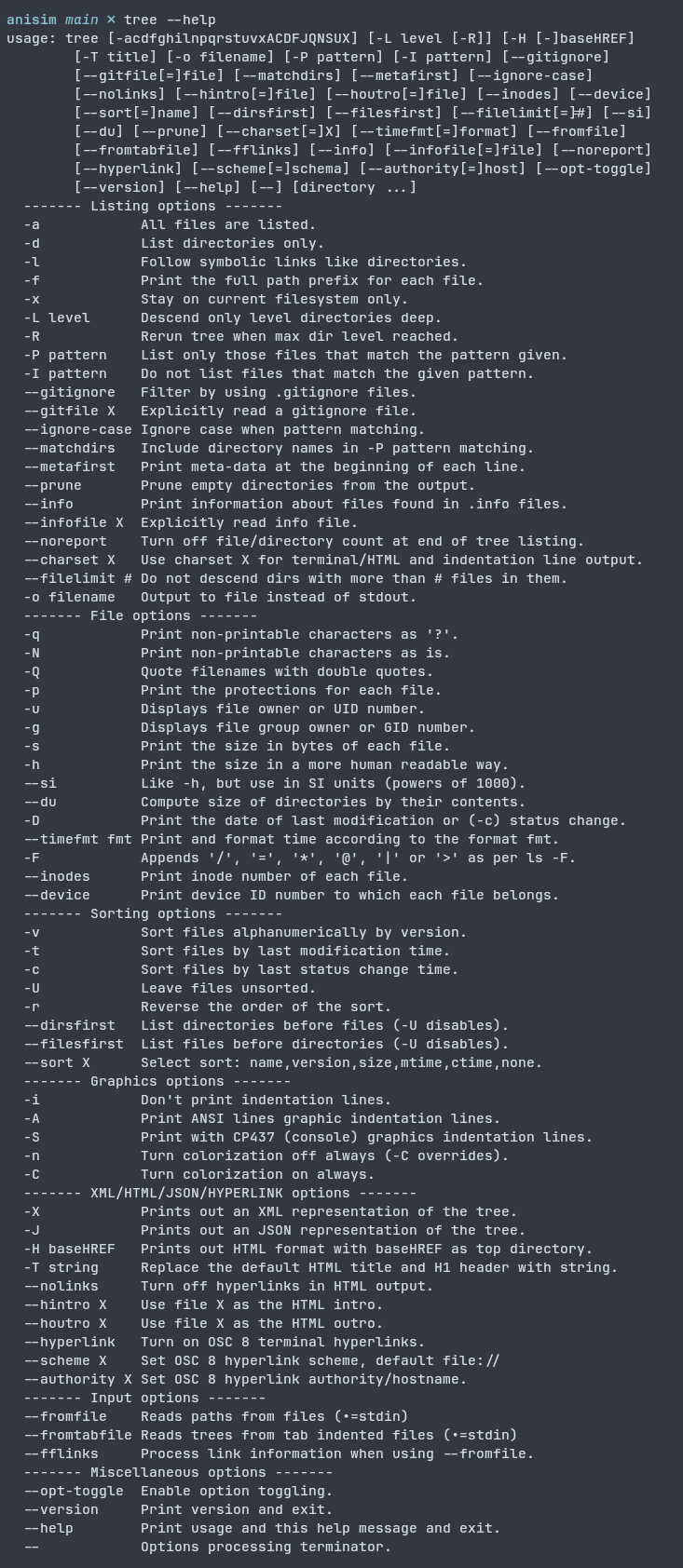
So I’ll hanker-down to what I deem interesting to learn about, and you probably didn’t know.
The main two
1. Ignore with -I
Using
tree -I node_moduleswill exclude node_modules, which is fairly nice outputting:
anisim main ? ❯ tree -I node_modules
.
├── cmd
│   └── anisim
│       └── main.go
├── docker-compose.yml
├── go.mod
├── go.sum
├── internal
│   ├── analyzer
│   │   ├── analyzer.go
│   │   └── analyzer_types.go
.....
├── tmp
│   ├── build-errors.log
│   └── main
But I have an issue here,
└── tmp
    ├── build-errors.log
    └── main

23 directories, 45 files
I don’t want my tmp files.
2. Gitignore with –gitignore
It does what it says on the tin, which is what most people will ever need.
tree --gitignoreFor 99% of what I’ll ever need, this is perfect. But If I’m this ignorant about a command I’ve used 100’s of times, where else is there?
tree -L N (Level)
This limits the depth of the tree output, 1 being just the current directory, 2 being current + 1 subdirectory etc.
anisim main ? ✗ tree -L 1
.
├── cmd
├── docker-compose.yml
├── go.mod
├── go.sum
├── internal
....
9 directories, 10 files
tree –fromfile
This essentially performs a tree but only from a file, so if we use stdin for this I can list all of the .go files in my directory
anisim main ? ❯ find . -name "*.go" | tree --fromfile
.
└── .
    ├── cmd
    │   └── anisim
    │       └── main.go
    ├── internal
    │   ├── analyzer
    │   │   ├── analyzer.go
    │   │   └── analyzer_types.go
    │   ├── anilist
    │   │   ├── anilist.go
    │   │   └── recommendation
    │   │       └── recommendation.go
tree -t ( Sort by time)
This lists files sorted by time, which is fairly useful for seeing what you’ve changed recently. Combining this withh -L2, –gitignore and -D for the time modified, we get:
anisim main ? ✗ tree -t -L 2 --gitignore -D
[Jan 21 14:07]  .
├── [Jan 17 17:32]  cmd
│   └── [Jan 17 18:21]  anisim
├── [Jan 17 18:07]  tailwind.config.js
├── [Jan 17 18:08]  package.json
├── [Jan 17 18:08]  static
│   └── [Jan 17 18:40]  css
.....
tree –inodes (Filthy pirate)
Some of you, like me, will know what an inode is, and some of you, like me, will only know what this is, as you’re trying to figure out, if your Radarr, Sonarr, Lidarr setup is correctly hardlinking files to save beautiful hard-drive space.
Now this is a terrible way of doing it, but doing tree –inodes in your Shows/Movies folder and once in your /Downloads folder will show the inode #. e.g.:
/Downloads
└── [   8916]  XXXX.mkv
/Shows
├── [   8916]  XXXX-Different name.mkv
Realistically if you were doing this, you’d do something like:
…/Record of Ragnarok 2021/Season 3 ❯ stat XXXX.mkv
  File: XXXX.mkv
  Size: Alot Blocks: More than 1 IO Block: 1048576 regular file
Device: 0,116	Inode: 8916        Links: 2
Access: (0666/-rw-rw-rw-)  Uid: (  568/ UNKNOWN)   Gid: (  568/ UNKNOWN)
Access: 2025-12-23 14:13:57.561329090 +0000
Modify: 2025-12-23 14:17:42.192496523 +0000
Change: 2025-12-23 14:18:02.220778933 +0000
 Birth: 2025-12-23 14:13:57.561329090 +0000
Device: 0,116 Inode: 8916 Links: 2
This line is what you’re looking for, but hey, not everyone is a filthy pirate.
Anyway, that’s enough typing, hopefully you learned something, and I’m going to work on learning the actual tools I use, as it’s very easy to take constant shortcuts, only for them to slow you down over time.